Linkfink
Linkfink is a modern rebuild of an abandoned Chrome extension-based link extractor. Replete with filtering, bulk-open, and light/dark mode, rewritten from scratch in TypeScript and SCSS.
The Idea
Linkfink is built off a fork of Link Grabber, a Chrome extension originally built by Don Tong. After reaching out to the original author about contributing improvements upstream and being turned down, I decided to continue development independently under a new name, under the terms of the original MIT license. Since then, it has been rebuilt from the ground up.
Extending and Improving
The bones of the original Link Grabber are solid, well thought out, not overly wrought, but felt like they needed a refresh.
Modifications
- Ported project to TypeScript and SCSS - Unnecessary at this point, but will help for future maintenance
- Moved options panel from being a right-menu-click to being a button-click on the main page
- Employed a sticky header to keep filtering options in view at all times
- Modernized the design with updated typography, palette, and layout — while retaining the spirit of the original Link Grabber
Additions
- Extended filtering of links by allowing comma-separated queries and prefix negation by prepending a greater-than ">" sign.
- Added ability to block links: of same-origin-subdomains and ones that contain text links.
- Supplemented the 'Copy Links to Clipboard' feature with the ability for the user to open found links in new tabs or windows.
- Added Dark/Light/Auto color mode.
Design Changes - Before
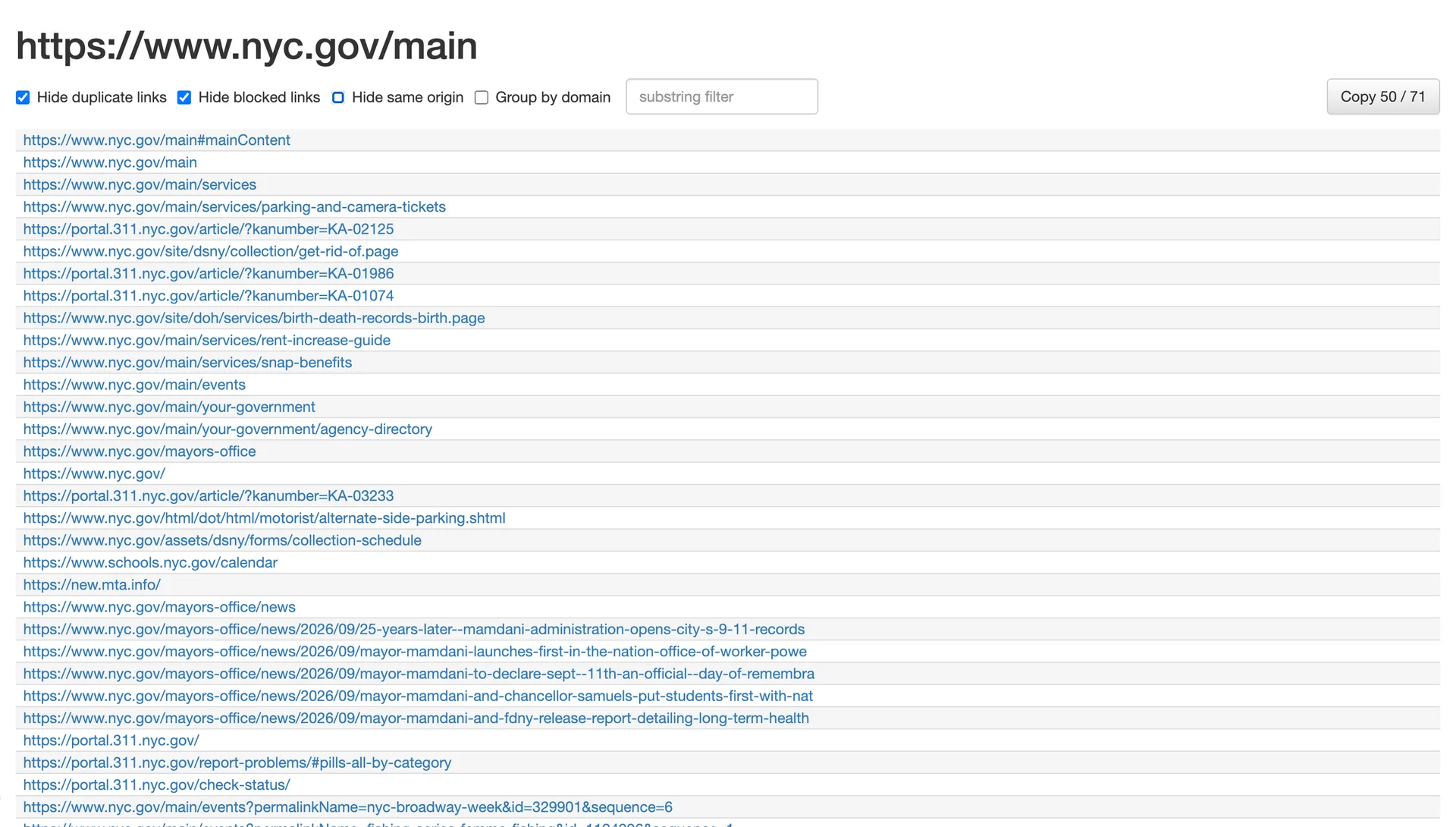
The original (before) Link Grabber, which this project was forked
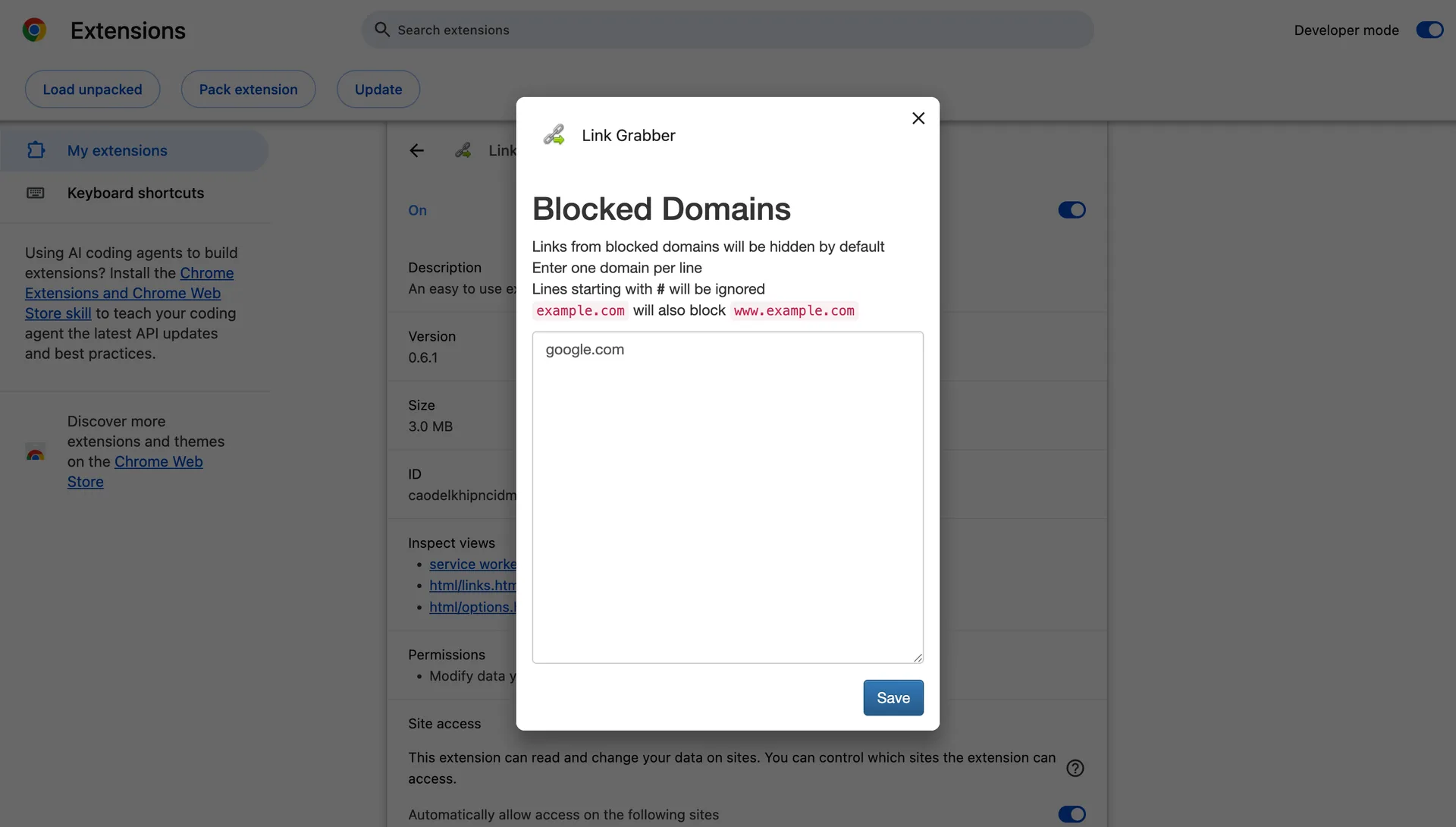
The original (before) Link Grabber settings removes the user from the workflow by redirecting to the extension settings page
Design Changes - After
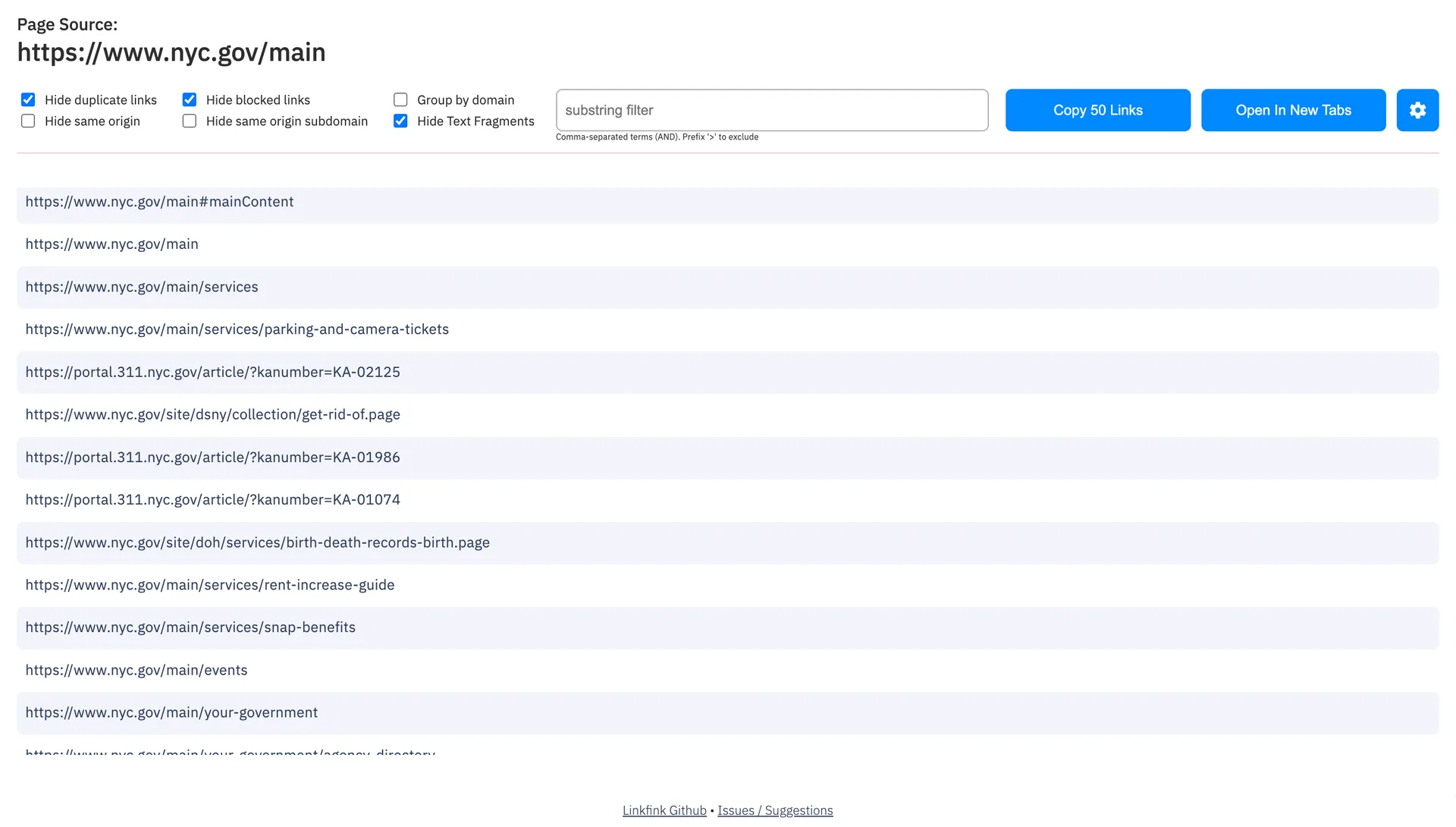
Linkfink (after), showing updated layout and features (Light Mode)
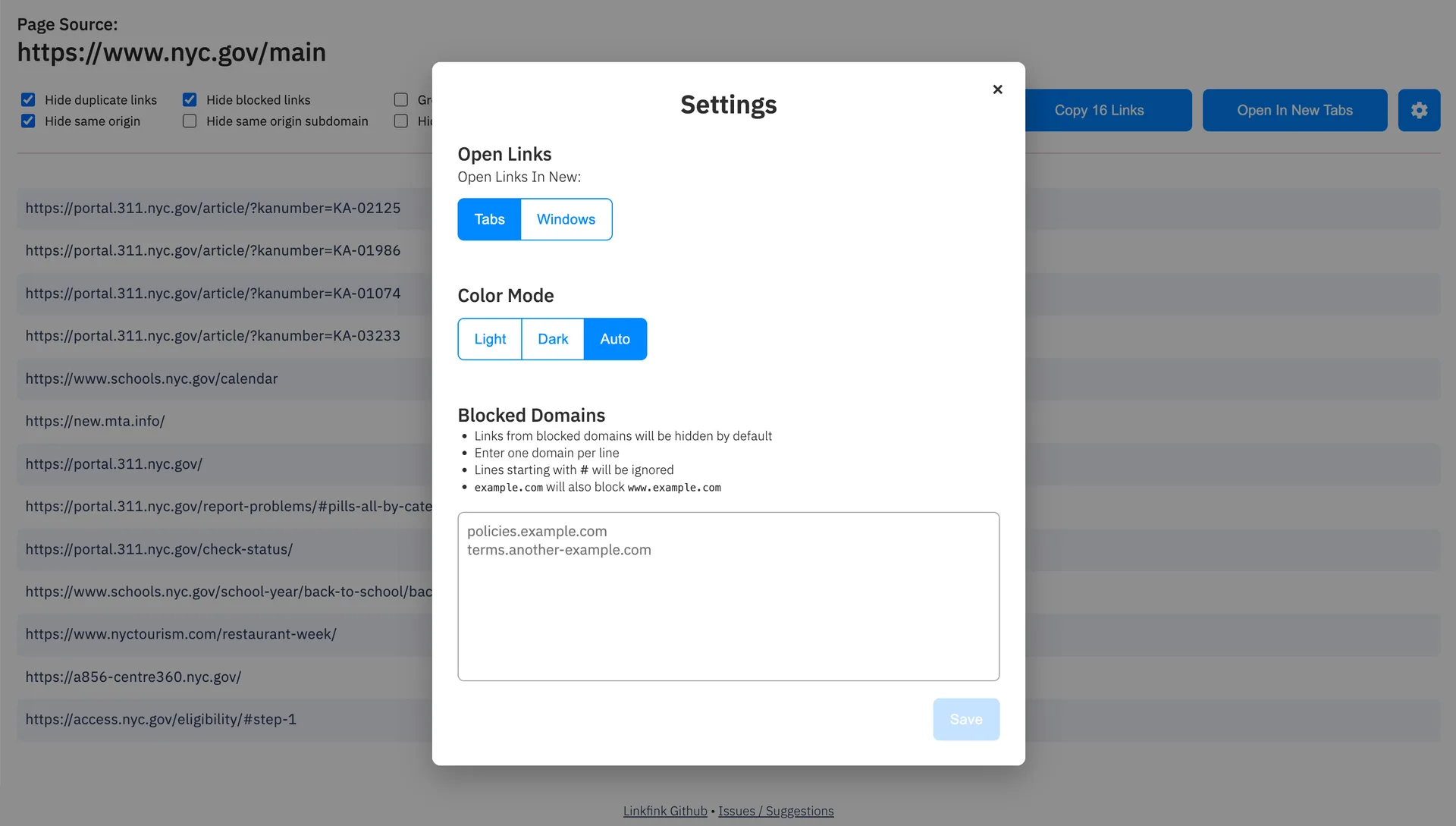
The Linkfink (after) settings page is a modal that allows the user to make changes without having to navigate away from the page
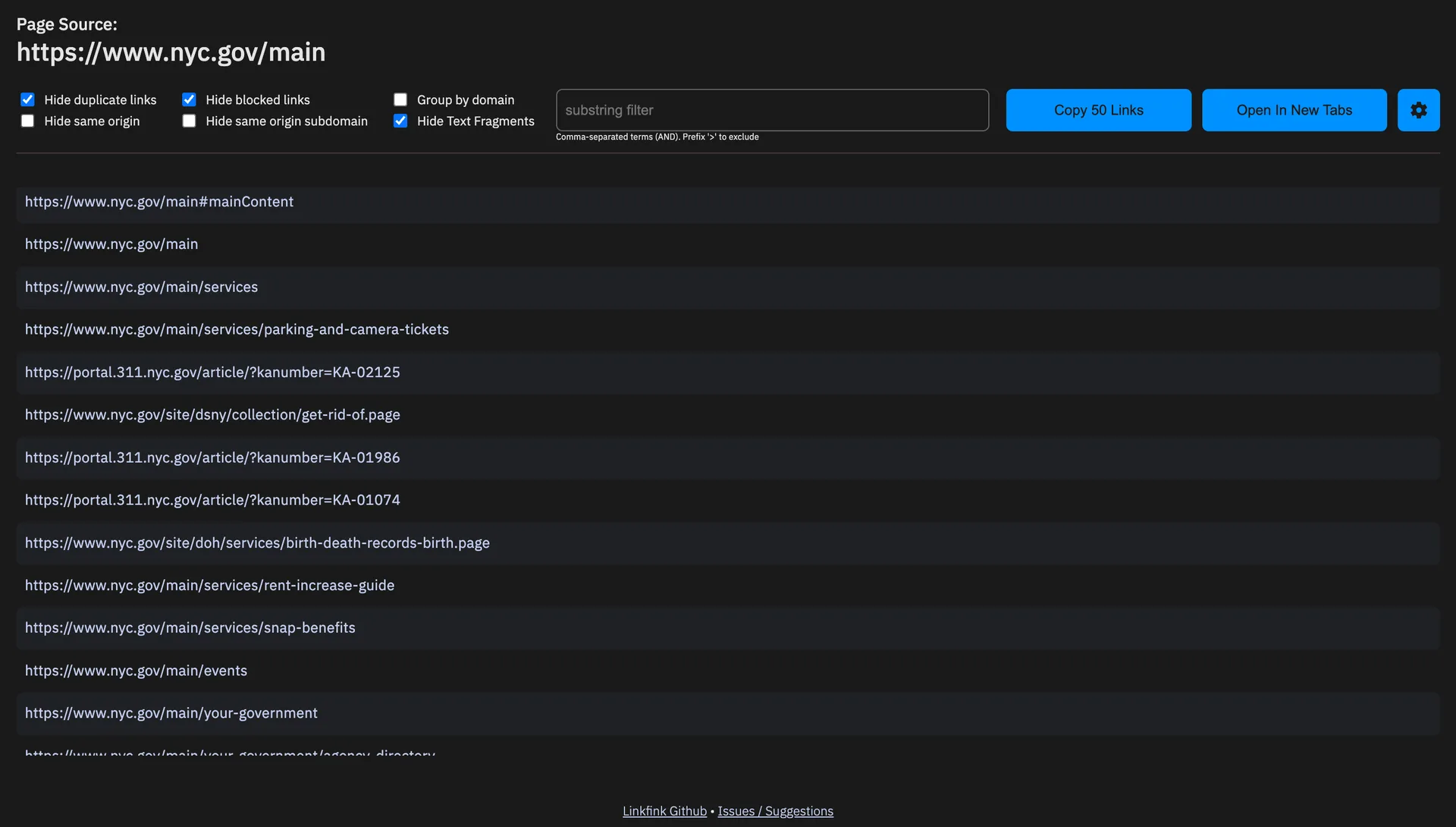
Linkfink (after), showing updated layout and features (Dark Mode)
How It Works, in a Nutshell
- Clicking the toolbar icon prompts the script to scan the page for every <a> link, pulling each one's href, host, path, and visible text.
- These results open in their own review tab — showing a clean list of all links found on the page.
- Built-in filters allow the user to clean up the list: hide duplicates, hide same-origin links, hide domains the user wants blocked, group by domain, or filter with a comma-separated, negatable substring.
- One click copies every visible link to the clipboard, or opens them all at once — in new tabs or new windows.
- Preferences (blocked domains, tabs vs. windows, light/dark/auto) sync across every machine you're signed into.